

As Promised…
Hey gang! Taking a break from the news this week, mostly because I've been pretty head down in AI Filmmaking land. That said, I've got something pretty cool to share with you this week: The (ahem) Ultimate AI Film Pipeline skill! Well, version 3, at least. OK— Let's get to it!
Some Quick Table Setting…

I presume if you're reading the newsletter, you've already seen Dragon Blue, the AI Short Film starring Flame/Katana Girl.

You can always watch it again: https://youtu.be/dRjN6Cr2Z00
Additionally, as promised, I did put together my usual "Masterclass" session on how it was made, including some really fun Behind the Scenes stuff. I'll go over that prompt as well, since a number of you asked about it. And I do echo what a lot of you said in the comments: The BTS footage is also my favorite part!

In Case You Missed It: https://youtu.be/ORuSQ0Fui-A
One quick addition to the Masterclass video that I realized I missed: I mentioned that you should use Nanobanana Pro, not Nanobanana 2—and (typical me) forgot to indicate why. Mostly, it's that NBP tends to have better cinematic framing and texture. NB2 is very good, but it has a bit too much "sheen" to it, and compositionally I haven't found it to be quite as good as Pro for framing.
That said, as always: Don't take my word for it. Experiment!
THE PIPELINE

The crew of the AI Pipeline hard at work!
As mentioned in the masterclass: the biggest backbones to pulling off this film—solo, and in two days—was by using Claude Cowork as my "production office."
If you haven't been using Claude, I do recommend trying it out. Currently, for this workflow, you'll need access to Claude Cowork, so you'll have to be on at least the Pro plan ($20/mo). Personally, I think you'll quickly find it worth it.
That said, if you're committed to ChatGPT, Gemini, or your local unhinged Claw (you brave soul…), this should be pretty easy to adapt.
The major benefit of using Claude Cowork is that you can allow it to have access to your local folders. And within that folder, we can pop in a .md (Markdown—basically an instructions file) file.
So, over the course of this project, I ended up building out what I think is a pretty solid pipeline. I took a lot of care in making it as lean as possible, so it doesn't eat up a bunch of tokens off the bat (more on this in a bit), and while it IS oriented to a Nanobanana Pro / Seedance 2.0 workflow, I tend to think the video prompts will likely work across most modern video generators.
Here's what's inside:
SKILL.md — The main skill file. This is what Claude reads when you activate the pipeline. It walks Claude through the entire two-stage workflow: still image generation (character refs + scene grids) and video generation. It also handles asset management—sorting your grids into scene folders, curating your best picks, and tracking progress across your whole project.
references/prompt-templates.md — Three core templates: Character Reference Grids, Scene Grids (2×2 stills), and Video Prompts. All placeholder-based—Claude fills them in based on your project.
references/filter-safety-guide.md — This is where Claude will store prompt keywords that get blocked, and once you eventually find the keyword workaround, will ensure that future prompts use that language. Big Time Saver here!
references/style-guide.md — A blank template for locking down your film's visual style, color palette, lighting, and film stock decisions.
references/story-notes.md — A blank template for your story breakdown. Drop in your script, outline, or book passage and Claude will parse it into scenes.
tracking/production-tracker.md — A status tracker for every character and scene in your project. Claude updates this as you work so you always know where you left off.
Installing It

Installing it is pretty simple:
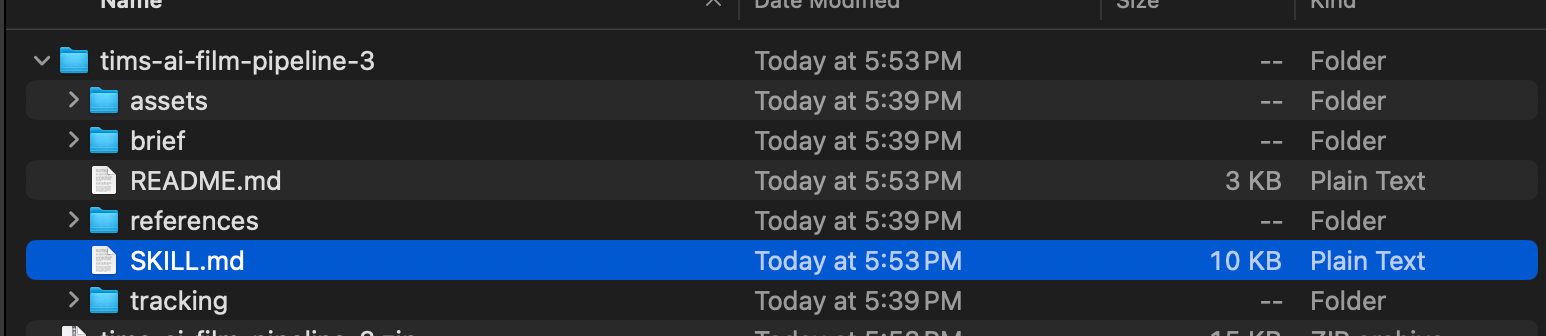
Unzip the file into a local folder you want to work in.
Open Cowork and create a new project.

You’ll want a better title than “The Movie”
Under “Choose Project location” change that to the folder you want to work in. AND: Upload your Skill.MD file from the zip.
Hit Create.
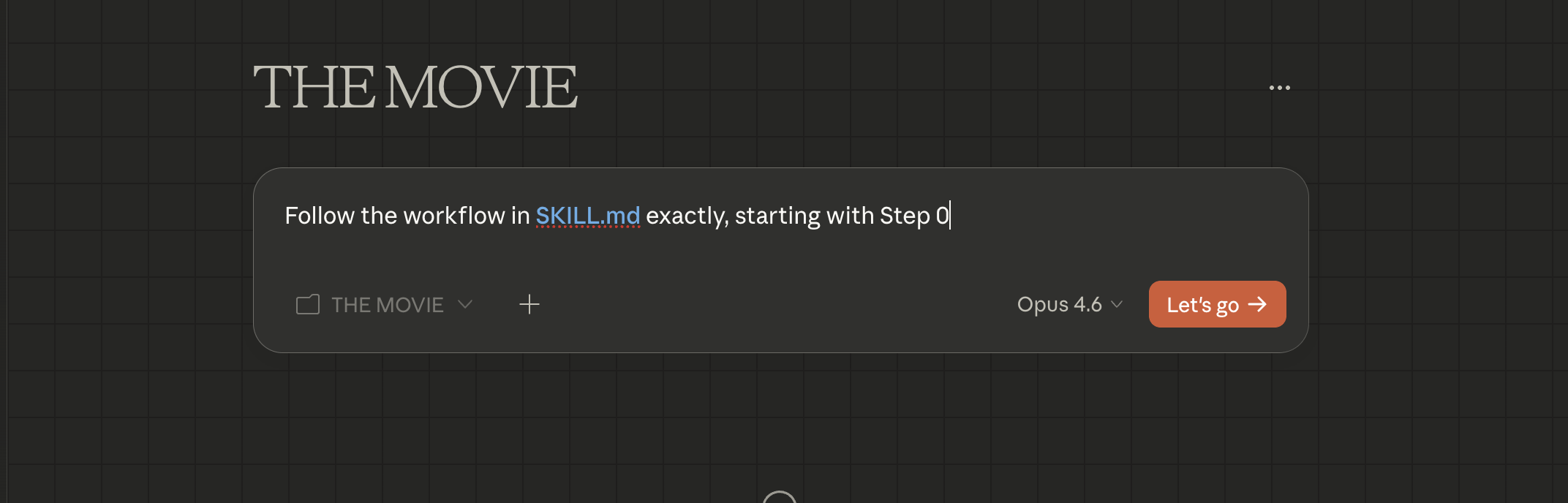


Finally, for your first prompt, just say “Follow the workflow in SKILL.md exactly, starting with Step 0.”
And you’re off and running!
In my case, I simply uploaded the Final Script for my short, and Claude asked me a few questions about the style I was aiming for, and if I had characters already generated.
From there, it will populate your folder structure out and keep everything organized for you.

Your Production Office is Ready for work!
PRO TIP
NOTE ON USEAGE
Token Budget: Cowork sessions do have a token limit. I built the pipeline to keep things really succinct—it only weighs in at around 4.7k tokens, so you have plenty of room to work.
I would generally recommend using Claude Opus 4.6 (the "smartest" model) for your brainstorming and prompt writing. Opus does eat up more of your session context length, but Claude's got a pretty large window here.
That said, on extended sessions, you'll eventually run out. When you notice Claude getting stupid (writing bad prompts, or generally misbehaving), just ask it to package up a handoff prompt, which it will save in your main folder. Then open a new project, point it at the folder, and you'll be right back in business.

The handoff will even include “Personality Notes” which can be amusing to read.
Asset Management: As I mentioned in the video, Claude can run a tight ship when it comes to your folder and asset organization. The method I was using was simply downloading my raw assets (image/video) to the main folder, and every once in a while telling Claude to go clean it up.
It's basically an assistant editor job, and Claude is very good at this. Though, I do want to note that you should probably switch your model from Opus to Sonnet for this task.
Opus is far too overpowered for this sort of grunt work—you want the intern doing it. Sonnet or even Haiku (the smaller, cheaper models) are ideal for this.
File Renaming Warning: Claude may occasionally ask you if you want it to rename your files. I recommend against this, unless you're very rigid in your production workflow.
Namely, because if you're simultaneously editing and generating, and Claude renames the files, it will break the link in your editor. Not a massive deal, since you can tell Claude to go back and rename your files—but y'know, that'll cost you some time and tokens.
(I might be speaking from experience here!)
Before I Forget, The BTS Prompt!

Before she got to hair and makeup! Don’t tell her I posted this picture!
For the Behind the Scenes footage in the Masterclass—to be honest, it wasn't much of a prompt.
As mentioned in that video, since I was using Luma's Agent Canvas, which has overall knowledge of the project, as I detailed in the video. I simply asked it to generate a bunch of BTS 2×2 shots from various scenes of the film. Once again, it was a bit of a "Spray and Pray" approach, but eventually I had a good run of selects.
From there, I took a few of those images and loaded them up into Seedance 2.0 via Dreamina, and the prompt used was:
Create a Behind The Scenes Montage of a movie production using these images. The cast and crew are (working hard/having fun/other action). Raw Documentary feel, handheld camera.
Really, not a lot to it.
A quick note: I will say that the BTS footage in Seedance does tend to have a very pro-EPK feel to it, and I would often end up with unintended interview clips mixed in. (I did end up prompting "No Interviews" at some point.) Unlike Veo 3, which tends to give you much more "run and gun" BTS-type footage.
Just another case of "Neither is better or worse—choose the right tool for the right job!"

Here’s The Skill!

Pyro might have gotten a bit out of hand on set…
So, really, that's about it! You can download the Pipeline here:
And please, feel free to tweak it and modify it to your needs. We all work differently, so we're all going to have different ideas on how to optimize the workflow. Just keep an eye on the initial token footprint—keep it lean!
And with that, I'm sure we're only weeks away from some even newer and crazier stuff dropping, and I'll have to go build a v4 version of this!
As Always I thank you for Reading…My Name Is Tim.

The Director needs a nap now…